

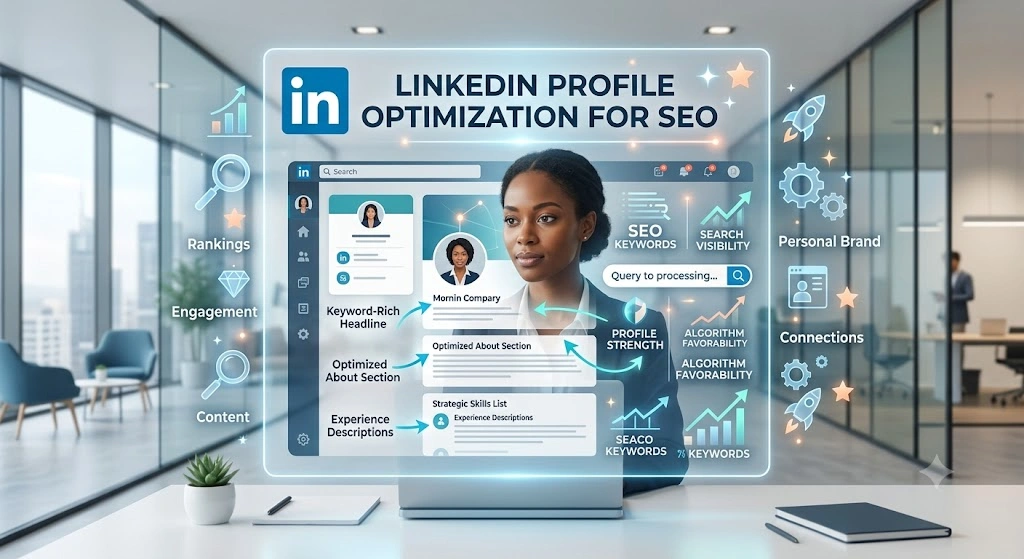
LinkedIn Optimization for Executives: The Complete Guide to Building a Profile That Works as Hard as You Do

Table of Contents
Most executives treat their LinkedIn profile the way they treat an old passport photo. It exists, it is technically accurate, and nobody looks at it again until it becomes a problem. Then a recruiter reaches out, a board member searches your name before a meeting, or a journalist links to your profile in an article, and suddenly you realize the page representing you to the world has not been touched since your last promotion.
LinkedIn optimization for executives is not about vanity metrics or chasing followers. At the senior level, your profile functions as a credibility check, a first impression, and sometimes the deciding factor in whether someone takes a meeting with you at all. This guide walks through exactly what LinkedIn optimization for executives means in practice, why it matters more now than it did five years ago, and how to build a profile that genuinely reflects the weight of the role you hold.
Why LinkedIn Optimization for Executives Matters More Than Ever
A decade ago, LinkedIn was mostly a digital resume. Today, it functions as a research tool for nearly every high stakes decision involving you as an individual.
Boards and investors check before they commit. When your name comes up for a board seat, an advisory role, or an investment conversation, someone on the other side is quietly pulling up your LinkedIn profile before the call even happens. A thin, outdated profile creates doubt at exactly the moment you need confidence.
Recruiters search actively, not passively. Executive search consultants and internal talent teams use LinkedIn as a primary sourcing tool. A profile optimized with the right language, the right positioning, and visible activity ranks higher in these searches and gets noticed faster than one that reads like a static list of job titles.
Clients and partners size you up before the first call. In B2B relationships, especially at the executive level, people want to know who they are dealing with before they commit time to a meeting. Your LinkedIn presence often does that vetting work before you ever speak.
Your team and peers are watching too. Employees judge leadership credibility partly through visibility. An executive who shows up thoughtfully on LinkedIn, sharing perspective and acknowledging wins across the team, builds a different kind of internal trust than one who is invisible outside the boardroom.
This is exactly why LinkedIn optimization for executives has shifted from a nice to have into something closer to a professional necessity.

The Core Elements of LinkedIn Optimization for Executives
Effective LinkedIn optimization for executives touches several distinct parts of the profile, each serving a different purpose. Skipping any one of them leaves a gap that undermines the rest.
1. The Profile Photo
This is the single fastest judgment point on the entire page. A blurry photo, an outdated headshot, or a cropped group picture signals a lack of attention that contradicts the seniority of the role. A clean, current, professionally lit headshot is non-negotiable at the executive level. It does not need to look staged or corporate. It needs to look like the person a client or board member would expect to meet.
2. The Banner Image
Most executives leave this as the default LinkedIn blue background, wasting one of the most visible pieces of real estate on the page. A well designed banner can reinforce your company brand, highlight a recent achievement, or simply state your area of expertise in a single visual line. It is prime space, and leaving it blank is a missed opportunity in any serious approach to LinkedIn optimization for executives.
3. The Headline
The default headline, which is just your current job title and company, is the most underused field on the entire platform. A strong headline for LinkedIn optimization for executives goes beyond the title and communicates impact, specialization, or philosophy in a short, scannable line. Instead of “VP of Sales at XYZ Corp,” something like “Helping SaaS companies scale from seven to eight figures | VP Sales at XYZ Corp” gives context that a bare title never will.
4. The About Section
This is where most executive profiles fail hardest, either left completely blank or filled with a dry, third person summary that reads like a press release. A well written About section tells a real story: how you got into your field, what problems you are drawn to solving, what your leadership philosophy looks like, and what you are currently focused on. Written in first person, with a natural voice, this section does more to build trust than any bullet point list of accomplishments.
5. The Experience Section
Executives often underwrite this section, assuming their title alone communicates enough. It does not. Each role should briefly state scope, scale, and outcome. Numbers matter here: team size managed, revenue influenced, markets entered, systems built. This is not the place for modesty. It is the place for clear, factual evidence of impact.
6. Skills and Endorsements
Often ignored, this section quietly affects how you surface in LinkedIn’s internal search algorithm. Keeping the top skills relevant to your current positioning, rather than leftover skills from a role you held fifteen years ago, keeps the profile aligned with how you want to be found.
7. Recommendations
A handful of specific, well written recommendations from former colleagues, direct reports, and clients carry enormous weight. Generic “great to work with” comments do little. Recommendations that describe a specific project, decision, or outcome are far more persuasive to anyone evaluating your credibility.
8. Consistent, Thoughtful Content
This is the part that separates a static, optimized profile from a genuinely active one. A profile can look perfect on paper and still feel dead if there has been no activity in six months. Regular posts, even just two or three per month, sharing perspective on industry trends, lessons from real projects, or reflections on leadership, keep the profile visible in feeds and reinforce everything the rest of the page claims about you.
Common Mistakes Executives Make on LinkedIn
Treating the profile as a static document. The biggest mistake in any approach to LinkedIn optimization for executives is thinking the work ends once the profile is updated. LinkedIn’s algorithm rewards activity, and a dormant profile slowly becomes invisible even if every section is perfectly filled out.
Writing in third person. Executive bios written for a website often get copy pasted directly into the About section. This creates a strange, distant tone that undercuts the personal connection LinkedIn is built for. First person, conversational language performs far better.
Ignoring the headline field. As mentioned above, leaving the headline as a default job title wastes one of the highest visibility fields on the platform.
Posting inconsistently or not at all. Many executives either avoid posting entirely, worried about saying the wrong thing publicly, or post in short unpredictable bursts. Neither builds the kind of steady visibility that actually moves the needle.
Sounding overly corporate. Posts and profile copy that read like a press release rarely perform well. LinkedIn rewards specificity, personal stories, and genuine opinions over safe, generic statements.
Never engaging with others’ content. Optimization is not just about your own page. Thoughtful comments on posts from peers, clients, and industry voices extend your visibility well beyond your own follower base.
How to Approach LinkedIn Optimization for Executives Without Burning Hours Every Week
The honest reality is that most executives do not have the bandwidth to manage this properly on their own, and that is not a failure of discipline. Between board meetings, client calls, and actually running a business or a function, writing thoughtful LinkedIn content and refreshing profile copy every quarter falls to the bottom of the list every single time.
This is where a structured, outside process makes the difference. A good approach usually looks like this:
A one time deep audit and rewrite. Every section of the profile, photo, banner, headline, About section, experience, and skills, gets reviewed and rewritten to reflect current positioning and goals.
An ongoing content cadence. Rather than posting reactively, a calendar of two to four posts per month keeps the profile active, built around real experiences, opinions, and lessons pulled directly from the executive’s actual work.
Periodic refreshes. As roles evolve, new projects launch, or positioning shifts, the profile should be revisited every few months rather than left untouched for years.
A review step that respects the executive’s time. Drafts should be quick to review and approve, not another lengthy task added to an already full calendar.
This is precisely the structure Careerist.pro builds around LinkedIn optimization for executives. The team, led by founders Karishma Sethi and Rohit Sethi, works with senior professionals across fintech, retail banking, fuel retail, and data analytics, handling everything from full profile rewrites to ongoing content calendars, so the executive’s time stays focused on running their business while their LinkedIn presence works quietly in the background.
What Good LinkedIn Optimization for Executives Actually Looks Like Over Time
The results of proper LinkedIn optimization for executives rarely show up overnight. What tends to happen instead is a gradual shift: more profile views, more inbound messages from recruiters or potential clients, warmer introductions at industry events because people already recognize the name, and a noticeable increase in the quality of conversations that start on the platform.
Executives who invest properly in this often describe a specific moment when it clicks, a board introduction where the other person already knew their background from a recent post, or a client call that started with “I saw what you wrote about that industry shift last month.” These moments do not happen through a profile that sits untouched. They happen through consistent, thoughtful presence built over months.
Getting Started
If your LinkedIn profile currently reads like a resume from three roles ago, and you know that recruiters, board members, and clients are quietly researching you before every important conversation, the fix is not a single afternoon of updates. Proper LinkedIn optimization for executives is an ongoing practice, not a one time task, and treating it that way is what actually produces results.
Careerist.pro builds this exact system around each executive’s real career story and current goals, handling the audit, the rewrite, and the ongoing content so the profile keeps working in the background while the actual job stays front and center. If your LinkedIn presence has not kept pace with your career, that gap is worth closing now rather than waiting for the next recruiter message or board introduction to expose it.


























Leave a Comment